CalcWood: Smart online tools for woodworkers and DIYers
Why CalcWood exists and where it is heading
CalcWood is not intended to replace expensive and complex CAD software. I want fast and straightforward tools that can calculate demanding details right in the workshop. But CalcWood should do more than simply produce a number. It connects accurate calculations with practical know-how to help you understand the result and make the right decision before you start building.
- More than calculations: CalcWood is not just about raw numbers. Each tool includes practical information that helps you understand the subject and the logic behind the work.
- Real-world result checks: For selected calculations, CalcWood Master highlights risk areas, recommends suitable adjustments, and reminds you what to verify before manufacturing.
- Maximum simplicity: No installation or update downloads. You can run the basic calculations directly in your browser without a required account; signing in is used for licenses, saved projects, and calculation history.
- Always at hand: It works directly in the browser, whether you are using a computer in the office or a phone at the workbench.
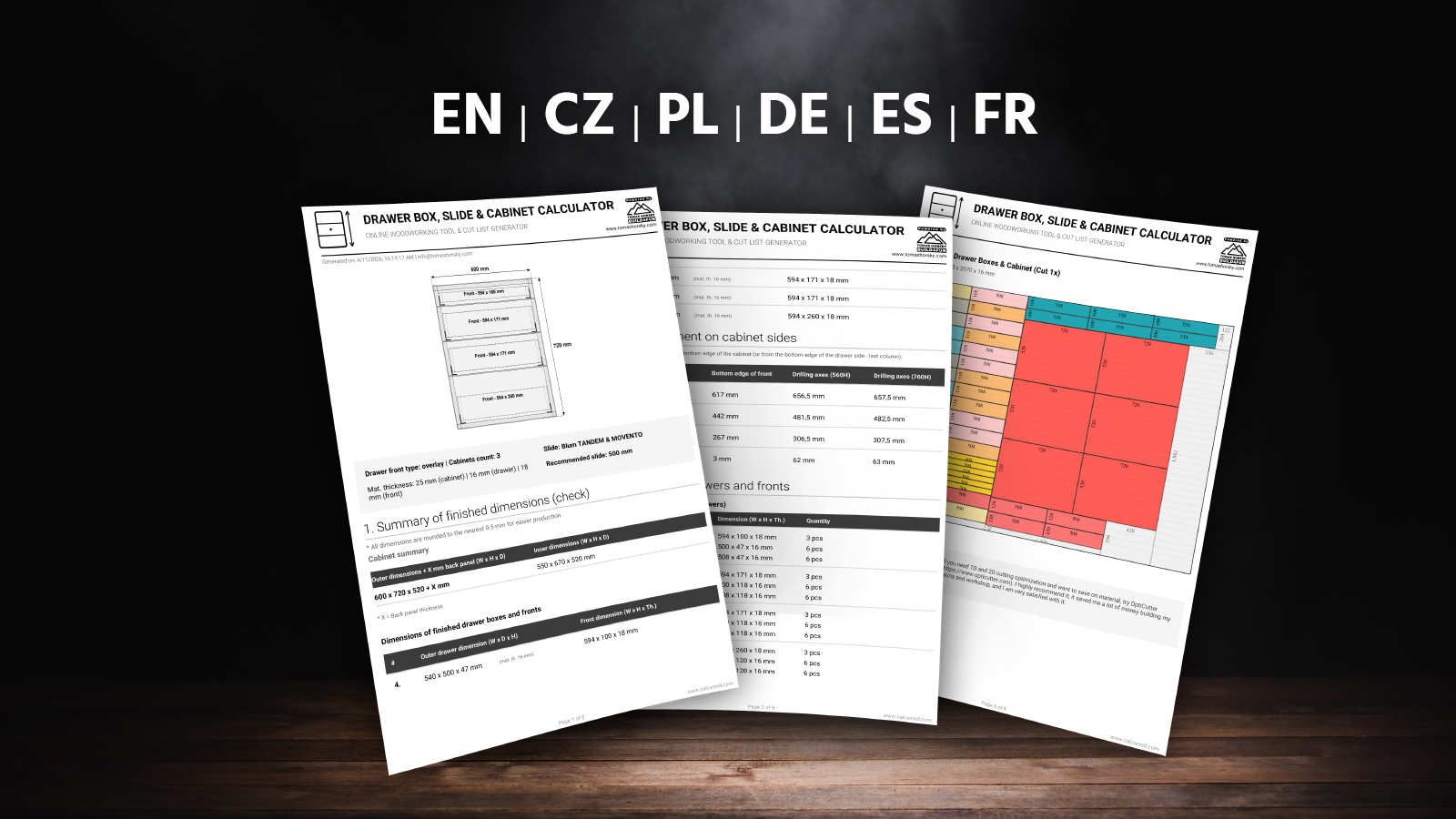
- Professional PDF outputs: You can save the result as a clear PDF report. Calculators that include a cut plan also provide an optimized parts layout with high material yield.
- Smart QR code: The QR code on the printed document lets you reopen the same project configuration with a quick scan on your phone.
- Community-driven development: I develop and refine the tools using real feedback from people in the field.
- A project for the whole world: The application is fully multilingual and currently available in six languages.
- The core remains free: Basic features will remain free for everyone, while expert PRO tools are available for more demanding users.
Note: The video shows the very first version of the calculator. Today, CalcWood can do much more, has a newer design, and includes additional tools.
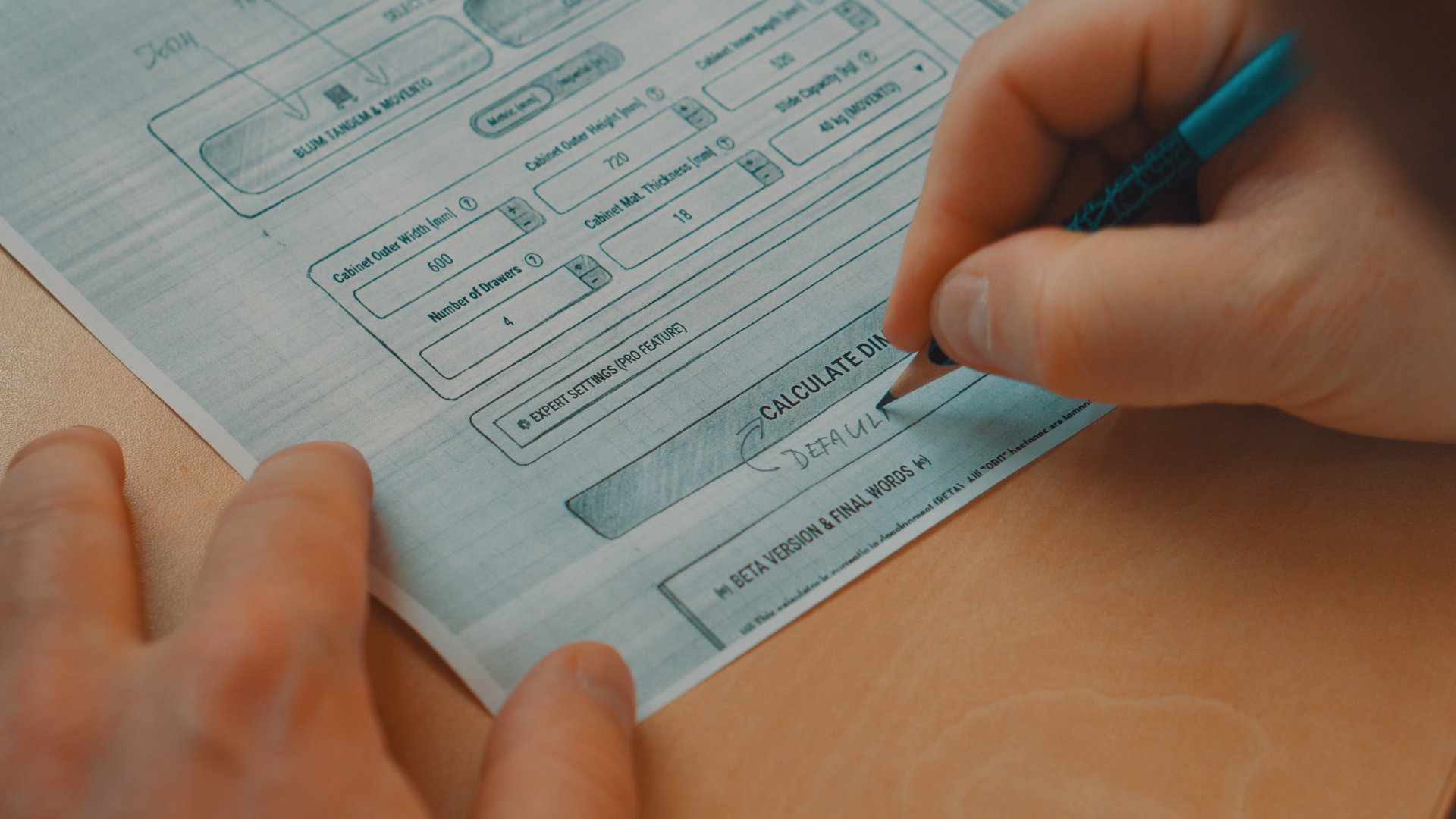
From scribbled paper to an app
When working in the workshop, you are always calculating something. Drawer dimensions, slide clearances, exact slat spacing, cut lists... I always stood at the workbench with a pencil and a piece of paper, crossing out and rewriting.
It annoyed me how much time I was wasting and how easy it was to make a mistake that costs ruined material, time, and considerable money. I looked for a tool that would solve this simply and quickly. But nothing suited me 100%.
So I just had to program it myself.
And since I know from YouTube that millions of other DIYers and woodworkers face the exact same problem, I decided to gradually expand CalcWood and release it to the world for everyone.
What stands behind the development of CalcWood?
CalcWood is a collection of online tools for workshop, construction, and manufacturing tasks. Enter the basic dimensions or parameters and the application calculates the result, prepares practical outputs, and, in selected tools, also highlights potential risk areas.
The goal is not to replace workshop experience. Quite the opposite – to save time calculating and reduce the chance of making a mistake in dimensions and wasting material.
I often get asked what CalcWood is written in and if I programmed it all myself, or if "artificial intelligence generated it". Besides working with wood, I have been in the IT environment for over 20 years. I'm not a pure programmer, but I understand code and know how application architecture should work. Without this foundation, AI alone would be useless to me.
Development with an AI partner
I work in Microsoft VS Code, which is my main programming environment, and I make no secret of using AI as a development partner. I use custom AI agents built on advanced models. In the end, it is not about whether you use ChatGPT, Claude, or Gemini. What matters is a precise specification, enough context, and firm rules. Without them, AI quickly starts making mistakes in a complex project. It is a powerful assistant for routine coding tasks, but it certainly does not work by simply saying "generate a professional calculator".
- Months of continuous development: I have been developing CalcWood for 8 months. The first calculator alone took almost a month to refine, and since then I have added more tools, shared system functions, PDF exports, user accounts, and licensing modes.
- Step by step: Inputs, calculations, visualizations, URL configurations, and PDF outputs must remain synchronized and react correctly to every change. That is why the instructions for AI have to be extremely specific.
- Hundreds of tests and gradual improvements: I started with a few basic inputs, calculated model examples manually, and only added new features once the results worked reliably throughout the system.

CalcWood Master: a game changer between calculation and practice
The calculation itself is only the beginning. CalcWood Master goes one step further: it reviews the specific result, highlights risk areas, and recommends what to adjust or verify before manufacturing. In the drawer calculator, it already checks issues such as drawers that are too wide, suitable slide load capacity, and unused space below the drawers.
This is not generic advice pulled out of thin air. CalcWood Master uses specific rules linked to the entered dimensions and calculated results. CalcWood is therefore gradually becoming more than a calculator: it is a practical assistant that helps you think through the result before you cut into the material.
CalcWood Master is currently available in the drawer calculator. I want to expand it gradually wherever this kind of check can provide genuine practical value.
Try CalcWood MasterWhat can CalcWood actually do?
I originally started with drawer calculations, but CalcWood has gradually grown into a versatile set of tools.
Heat Loss Calculator
Estimate heat loss, energy use, and potential savings. Compare insulation materials, choose a suitable insulation thickness, and calculate the expected return on investment. The calculator also handles partially insulated structures and shows the potential benefit of insulating the remaining area in a clear chart.
Drawers and Slides
You enter the cabinet dimensions, and the app calculates the exact dimensions of every part. It supports Blum and classic slides, overlay and inset fronts, individual drawer heights, and storage space maximization. CalcWood Master also checks the result, highlights risk areas, and recommends what to verify or adjust before manufacturing. A professional cut plan with cutting optimization, ABS edge deduction, and wood grain direction tracking is included as well.
Smart Mix (2K)
Ideal for epoxy resins, 2K lacquers, and adhesives. The calculator converts between weight and volume based on density, calculates the exact amount from dimensions (area and thickness), and smartly divides a large volume into smaller mixing cups. It also includes an approximate market price comparison.
Even Spacing
A versatile tool for fences, slats, posts, battens, dowels, or grooves. Calculate a layout by item count, target gap, or exact center-to-center spacing. The calculator can center the layout automatically, include fixed edge offsets and different edge endings, and provide running dimensions for accurate marking from a single zero point.
Shelf Sag
Find out if your shelf will sag under a load, not just immediately, but over time (shows approximate sag after 5 or 10 years). Enter the material (melamine, solid wood, plywood), dimensions, and expected load. The app visually warns you if the design is on the edge. This helps you avoid the unpleasant surprise of sagging bookcases or workshop cabinets after a few months.
Stairs Calculator
Calculate the number of steps, exact rise and run, stair pitch, and minimum headroom. Choose between automatic design based on ergonomics and available space or a fixed overall tread board depth with the nosing correctly deducted. The main output is a practical drawing with cumulative dimensions: transfer the measurements to the front and rear edges of the stringer, connect the matching points, and mark the exact slope without a protractor or accumulated measuring errors.
PDF reports with a smart QR code
A major advantage is that the result does not remain only on the screen. Supported calculators can generate a professional PDF report or production cut plan. The PDF also contains a QR code – scan it with your phone in the workshop and it will reopen the exact configuration used to create the document.
Free core calculations, expert features for demanding users
You often ask whether CalcWood will remain free. To be clear – the basic version of every calculator will remain free for everyone. I want to keep working with this community and make workshop tasks easier for every DIYer.
Developing and maintaining a tool like this takes a great deal of time and money. The website must run on a reliable server, complex calculation logic needs continuous testing, and both mobile display and correct PDF generation have to be maintained. For the project to work in the long term, continue growing, and remain independent, it must be able to cover its operating costs.
Features marked with the  PRO badge are included with a paid license. It unlocks expert settings and advanced outputs in calculators already running in production, together with account features such as saved projects and calculation history. I move individual calculators from beta to production gradually according to their maturity, usage, and real feedback. The goal is not to get rich, but to cover operating costs and keep developing the project.
A project for the whole world
CalcWood is currently available in 6 languages (CZ, EN, PL, DE, FR, ES). The English version also supports the imperial system and traditional workshop fractions. Decimal inch values are converted to the nearest 1/16 inch, making the results directly usable in US and Canadian workshops.
A quick IT note for the curious and technically minded
- Vibe coding: A popular approach where someone without programming knowledge simply describes an idea to AI. The AI generates code and the application may appear to work, but the author does not really understand how. Problems arise when a bug must be found or a complex feature added – without solid foundations, the project can quickly fall apart.
- AI-assisted development: This is the path I use for CalcWood. I remain the main architect – designing the logic, file structure, security, and system connections. AI serves as a fast partner for routine coding tasks based on my precise specifications.
- "Old School" Architecture: If a developer wanders in here, they will probably notice that CalcWood doesn't run on modern frameworks like React or Vue. I deliberately chose a classic and time-tested path (PHP 8, pure JavaScript, and CSS). For this type of tool, it is lightning fast, reliable, and doesn't unnecessarily complicate maintenance or hosting.
There are so many possible combinations of dimensions, overhangs, and hardware types that one person cannot simulate every case with absolute certainty. I therefore launched CalcWood in beta first and move individual calculators into production gradually. New or significantly expanded tools remain in beta longer so I can verify them using real calculations and workshop feedback.
Who is behind CalcWood?
I am Tomáš Horský. There is no corporation or development studio behind CalcWood – I design, program, and gradually develop the entire project myself. I have worked around IT for more than twenty years, but I also work with my hands and know very well that a single calculation error can mean wasted material, time, and money.
Whether I am creating a workshop video, a detailed building plan, or a calculator, my goal remains the same: to make something that genuinely helps people work more efficiently and understand the complete process.
You can find more of my projects on my YouTube channel or my personal website.

Thanks for the support and cooperation
The CalcWood project could not grow at such a pace without the support of great partners. Thank you to these companies for their cooperation and trust.


Want to support the CalcWood project?
I develop CalcWood as an independent project for DIYers and people who work in the field. If the tools help you in the workshop and save you time, you can support further development with any contribution towards a coffee.
Support the project here